
Writing a CFML Wrapper for Claude AI Using Claude Code
I haven't had much of a chance to play with (or actually utilize) Claude Code, so I thought putting together a CFML wrapper for the Claude API would be a good jumping off point.
My goal here was not perfection, but rather to experience a more "AI" approach to coding and to focus on the results. Consequently, v1 of this wrapper was entirely prompt driven (despite my nearly constant desire to just jump in a write parts of the code myself). Needless to say, there is a lot that I want to tweak and refine, but this is the story of getting started. A more important takeaway is that I found Claude Code's workflow straightforward and the results impressive.
Getting Started
Not a lot to say here - the Claude Code documentation talks about getting started in 30 seconds, and that's about right. I had no issues at all with the installation. I jumped into a new folder for this project and ran the claude command to get started.
I did not run Claude Code in YOLO mode; that is, I manually reviewed and approved the responses to each prompt before letting Claude Code run them.
The Prompts
Prompt 1
I am a CFML developer. I'd like to use the Claude/Anthropic API with my application, so I need to create an API wrapper that I can use to interact with it. Please create this app in a folder called claude-cfml. In the root folder I would like an index.cfm file that I can use to test the interactions with the API.
The first thing I noticed about Claude's first attempt was that it was not in CFScript. For some developers this wouldn't be an issue, but I prefer my CFCs scripted instead of tagged, so I decided to address it up front.
Prompt 2
All cfml code in .cfc files should be done in cfscript.
Claude refactored the ClaudeAPI.cfc into CFScript. I didn't examine its contents too closely yet. The first thing I wanted to see was if the code actually worked. That's when I noticed that the index.cfm file that was initially created was in the claude-cfml folder. I wanted it in the project root so that it could be used for manual testing.
Prompt 3
I'd like that index.cfm file in the project root - not in the claude-cfml folder.
I was impressed with this refactor. Along with moving the index.cfm file, it updated the component paths that were being used in the file to correctly point to the claude-code folder.
Prompt 4
The easiest tool for running local CFML code is CommandBox. I already have it installed. Can you spin up a CommandBox server with the latest version of Lucee 6 in the project root, to see if everything loads without error?
Again, I was impressed. Claude Code knew what to do - it ran the request to spin up the Commandbox server and then ran a curl request to the current URL to confirm that the page was loading. I also took a look at it, and it's a solid manual testing ground for the project.
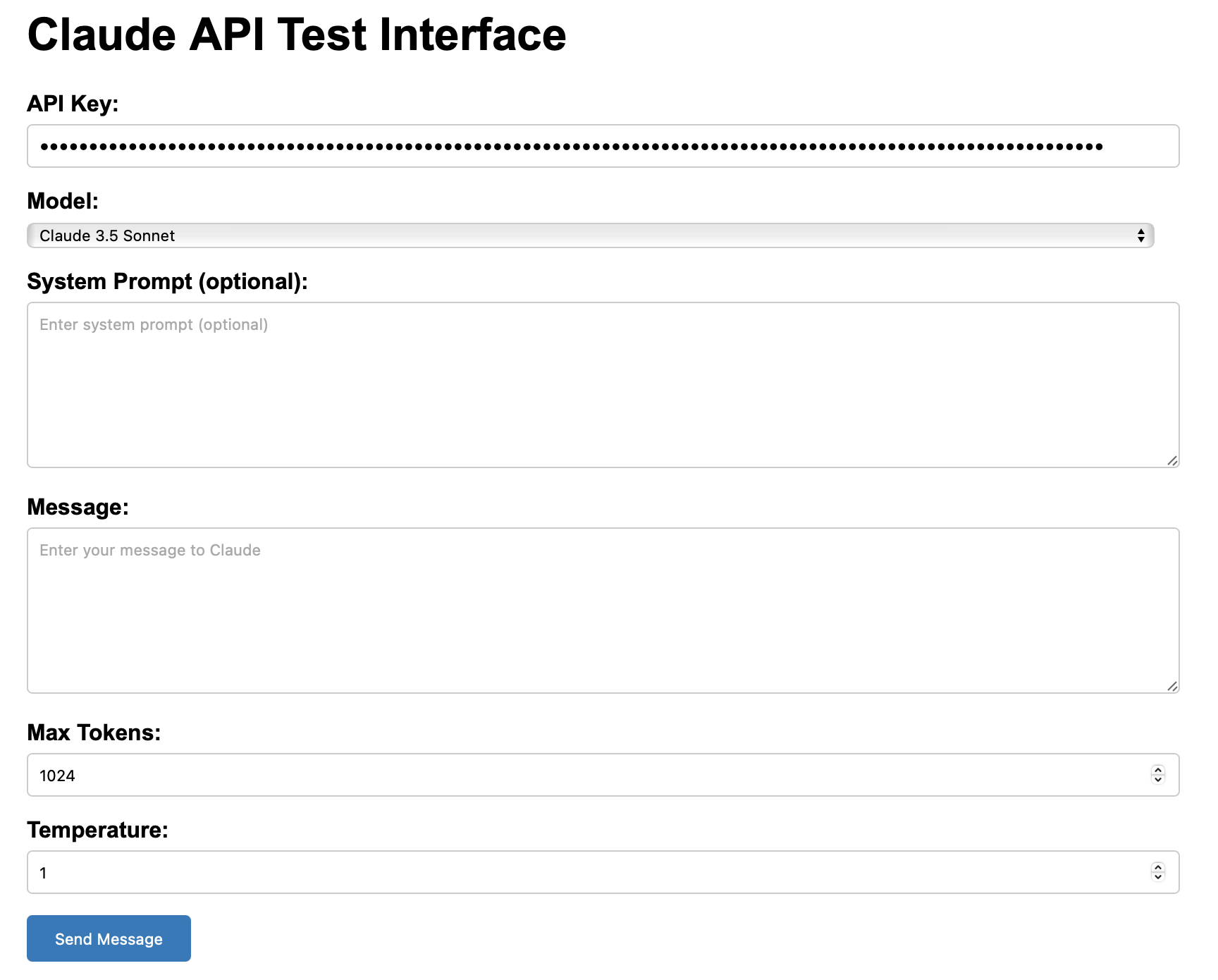
I began looking at the code that was generated, and at the top of the component, I noticed that the only way to provide the Claude API key was to manually pass it into the component. At this point, being able to load that from an environment variable is, in my view, an important piece of API wrapper implementation. So, I requested that with the next prompt.
Prompt 5
I'd like to load the API key via an environment variable.
This was the first (any really only) time that Claude got confused (and, honestly, in hindsight the prompt is pretty vague). Claude invented a function to read the API key from an environment variable, then passed that variable into the component's init method. Which, 1) wouldn't work, and 2) wasn't what I was looking for. I added a bit more detail to my next prompt.
Prompt 6
If we add a .env file and restart the CommandBox server, it will pick up the content of the file. I'd like the ClaudeAPI.cfc file to 1) check to see if an API key was passed in manually, 2) using the server scope, check environment variables for the API key, 3) if still not present, check Java system properties.
With the additional details, the codebase was refactored successfully. The next step was to actually see if it was working.
On the testing form, I entered this system prompt: "Answer in a rhyme.", and for the message, I asked: "What is the capitol of the US?". I submitted the form and... it returned an error. So, I fed that error back in to Claude.
Prompt 7
Ok. I tested it and got this error:
"{"type":"error","error":{"type":"invalid_request_error","message":"model: Field required"},"request_id":"req_011CSyH18H95kXtj4dJHEFJ9"}".
With that, Claude Code got to work refactoring the codebase again, this time making sure to put struct keys in quotes, in order to maintain casing. I didn't point out that this could be the issue, so I was impressed that it resolved this on the first try. I tested the form again and... it worked! The response was this ridiculous poem:
Washington DC is the place to be, / Where our nation's leaders work, you see. / On the Potomac River's eastern shore, / The capitol city we can't ignore!
At this point, the API wrapper's basic interactions with Claude AI were working, but I wanted to put a few more improvements in place.
Prompt 8
I'd like to add a CLAUDE.md file so that I can provide guidelines for the generated code.
A basic CLAUDE.md file was created, which included some of the points it had learned so far during the coding session, such as the preference for CFScript and environment variables. I then adjusted and expanded the guidance a bit further.
For example, one of the biggest issues I saw with the wrapper in its current form was that the HTTP request code was being duplicated in every function that interacted with the Claude API. To correct this, I added the line: "API calls and HTTP requests should be abstracted away, so that they can be reused."
Prompt 9
Ok. I adjusted the CLAUDE.md file a bit to provide further guidance. Can you review and then make updates accordingly?
The changes here were substantial and greatly improved the wrapper. The biggest difference was that, as requested, the duplicate HTTP request code was consolidated into cleaner abstracted methods that each request could use.
I gave the codebase a cursory review and decided that it was ready to share as a v1.
Prompt 10
I'd like to add version control to this project now.
Claude put together a fairly elaborate initial commit message that, justifiably, credited itself as co-author. I realized that if I wanted to put this on Github, I should add a README.md file as well.
Prompt 11
Now we need to add a README file with a basic description of what the project is and an overview of the methods that it provides.
The README it generated was way more verbose than I would have written on my own - for better and for worse. But I really didn't give it much guidance, so that's no too surprising. I needed this change committed.
Prompt 12
Document the changes in version control.
The new file was committed with another lengthy commit message. Finally, I needed to put in on Github.
Prompt 13
I set up a remote repository for this on Github: mjclemente/claude-cfml. Please push this to it.
Claude ran the necessary bash command without issue. Now, I just wanted to tag this version, so that I could more easily reference the specific code that was generated during this first coding session.
Prompt 14
I'd like to tag the code, as is, as v1 of this project.
This was amusing. Claude created the v1.0.0 tag on the local repository, and then told me the command needed to push it to Github, but didn't actually offer to run it. So, I asked it to do that with a final prompt.
Prompt 15
Please run the command to push it to the remote repository (and it did)
With the last prompt, Claude Code ran the necessary command, and the tagged project is now live on Github.
In Closing
There is a lot more I'm hoping to do to improve this project, but I think, at a basic level it's usable. I'd like to add testing, post it to ForgeBox, and expand on the ways it can interact with Claude AI.
I plan on sticking with Claude Code for generating the project's code, for the sake of the experience and experiment. If anyone else has tips to tricks for getting quality generated CFML projects from these LLM code assistant, I'd love to hear them.
